

Clover Flex is ready – whether you need to take chip and Pin or contactless payments (like Apple Pay or Google Pay) at the counter, at the table or just about anywhere else.

From monitoring sales and profit trends to controlling employee permissions, and shifts. You can run a full POS from the same compact device that takes your payments. Clover is the all in one payment system that you need to take your business to the next level.

Customize your Clover with applications for marketing, accounting, and inventory management. Access to real-time reporting to review your sales history, and custom configurations by adding your logo, website or message to your terminal receipt.
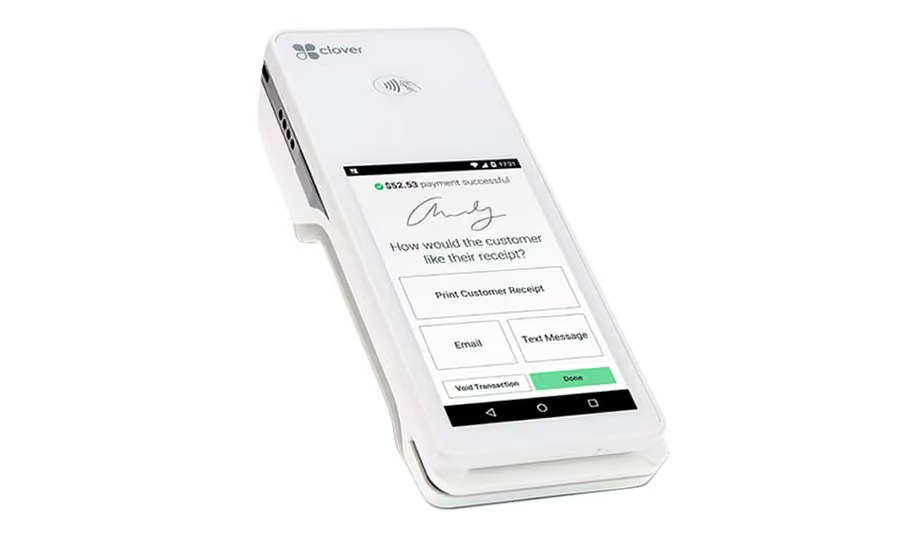
Clover Flex is built to do business wherever you and your customers are. Whether on the road, at the counter or at the table, this is the payment solution you have been waiting for.
Request DemoClover Mini is small in stature but powerful in POS processing power. Its sleek compact look and user friendly interface gives you everything you need to run your business now and as you grow.
Request Demo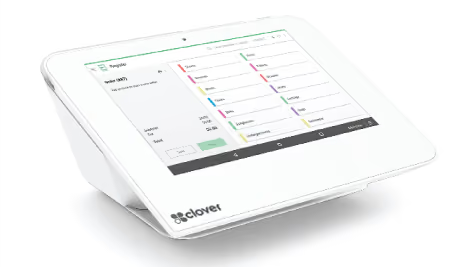
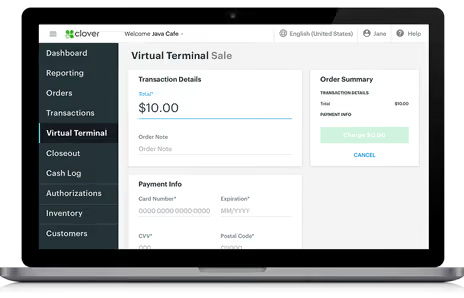
Have access to process transactions online with the Clover Virtual Terminal. Its as easy as logging onto your Clover Web Dashboard from your Computer, Smartphone or Tablet.
Request DemoAdd an online Cart to your website and take orders, sell products and services for your business. Integrate your online orders with your POS system with any of our Clover products.
Request Demo
The Clover App Market lets you customize your Clover Product with do-it-all apps for accounting, inventory, marketing, gift cards, and whatever else your business needs.

Take orders, add or remove items, and accept payments.

Get customer feedback at point of payment. Increase return visits with “come back soon” offers.

Look up orders and do more with them such as take payments or issue refunds.

Drives increased customer spend and repeat visits. Send blast marketing messages via SMS, email or push to influence more sales.

View customer information, transaction, transaction history, and marketing preferences.

Integrate daily sales information directly into QuickBooks.

Manage employee schedules, overtime, timesheets, payroll exports, and much more.
Please submit the form below to get a quote or request a demo.